Best-of list
Best Laser Engravers for Wood (2026): Cutting and Engraving
The best lasers for cutting and engraving wood, plywood and MDF, ranked on the makers' published cutting depths, safety and work area, from a $499 enclosed starter to CO2 machines that cut 18 mm in one pass.
This page contains affiliate links; we may earn from purchases made through them. Learn more
Our picks at a glance
- 8.3/10 research score
-
Best diode for thick wood
Small businesses cutting thick wood in a Class 1 machine
8.3/10 research score -
Best enclosed value for cutting
Thick wood cutting in an enclosed machine
8.2/10 research score -
Best big bed for home workshops
Enclosed wood cutting and engraving at home, with room to add metal marking later
8.1/10 research score - 8.2/10 research score
-
Most cutting power for the money
Budget wood cutting in a ventilated workshop
7.2/10 research score -
Best for beginners
Crafters who want a safe, simple first laser for paper, wood and stickers
8.0/10 research score
Our verdict
For serious wood work, the xTool P2S is the one to get: its 55W CO2 laser cuts 18 mm basswood in one pass, has a passthrough for long boards and engraves cleanly at speed. If you want a Class 1 diode machine instead, the WeCreat Vision Pro claims 25 mm basswood. On a budget, the enclosed xTool M2 cuts 8 mm for $499.
Wood is the material almost everyone starts with: signs, coasters, ornaments, boxes, puzzles and wall art. Every laser engraves wood, so the real question is how thick you want to cut and how much space and safety you need. We ranked these on the makers' published cutting depths, safety class, work area and what reviewers and owners report; see how we research.
The short answer
| You want to | Best pick | Why |
|---|---|---|
| Cut and engrave wood seriously | xTool P2S ($2,999) | CO2: 18 mm in one pass, passthrough for long boards |
| Cut thick wood with a Class 1 diode | WeCreat Vision Pro ($2,740) | 45W, 25 mm basswood claim, metal enclosure |
| Thick cuts in an enclosed machine for less | Creality Falcon2 Pro ($1,899) | 60W, 22 mm basswood claim |
| A big, safe bed for a home workshop | xTool S1 ($1,699) | Class 1, flame detection, 498 × 319 mm |
| Maximum cutting power on a budget | Creality Falcon2 40W ($639) | Open frame, 400 × 415 mm |
| Start out safely | xTool M2 ($499) | Class 1, cameras, 8 mm basswood |
US list prices checked on October 18, 2026. Sales are frequent, especially around Black Friday.
Engraving vs cutting wood
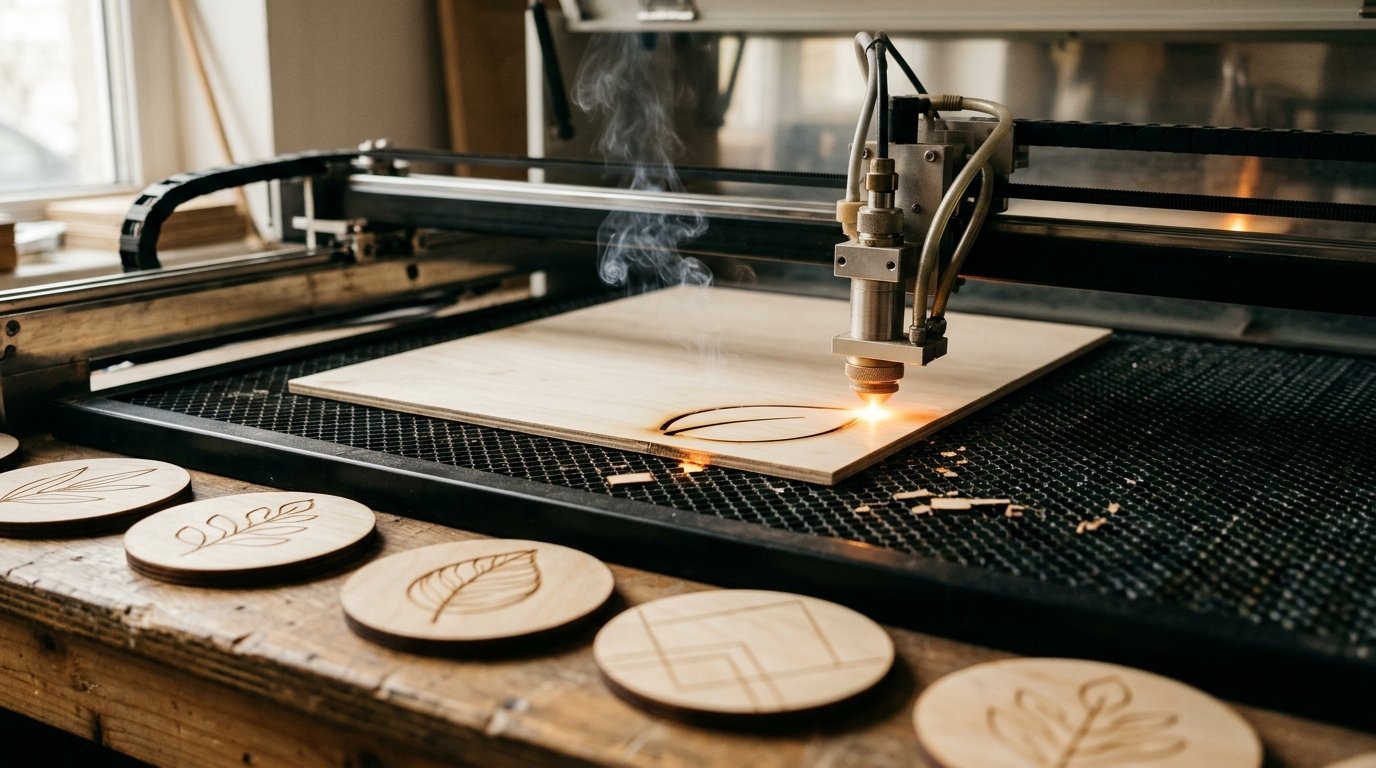
Engraving is easy for any laser: even a 10W diode burns detailed photos and text into wood. What matters for engraving is speed and detail, not raw power.
Cutting is where power counts. Thicker wood needs more energy, so a stronger laser cuts it in fewer passes, with less charring. Makers publish one-pass figures for basswood or paulownia, which are soft and light. Expect hardwoods such as cherry, walnut and maple to cut thinner: LaserPecker, for example, lists 22 mm paulownia but 19 mm cherry for its 40W LX2.
Diode or CO2 for wood?
- Diode lasers (blue light, 10W to 60W) are compact, cheap and low-maintenance, and today's enclosed 40W to 60W machines cut thick softwood well. They're slower and need more passes than CO2 on dense wood.
- CO2 lasers cut wood faster and cleaner for the power, and they also cut clear acrylic, which diodes can't. They cost more, are larger and need water cooling and venting.
If you'll mostly cut wood to sell, a CO2 laser like the P2S pays off. If you mostly engrave and cut thin wood at home, an enclosed diode is simpler. Full comparison: diode vs CO2 vs fiber.
Which wood to use
- Basswood is the easiest wood for lasers, especially diodes: light, even and clean-cutting. Creality Falcon calls it one of the best choices for diode machines.
- Plywood works well if it's made for lasers. Baltic birch is the usual recommendation because its many thin layers and void-free core cut cleanly. Glue lines can char and stop a cut, and cheap construction plywood can have voids and uneven glue.
- MDF is cheap and uniform, so it's popular for signs and templates, but it chars more and makes more smoke than solid wood. Emory University's TechLab notes MDF may char more when cut.
- Avoid OSB and other glue-heavy boards, which Emory warns may melt or give off unpleasant fumes, and anything treated, painted with unknown coatings or pressure-treated.
The picks in brief
xTool P2S. The best wood machine here if your budget allows it. Its 55W CO2 laser cuts 18 mm basswood in one pass by xTool's figure, and an automatic passthrough feeds boards up to 118 inches long, so you can make large signs in sections. Dual 16 MP cameras help place designs on irregular offcuts. It's enclosed but certified Class 4, and needs ventilation to the outside.
WeCreat Vision Pro. The diode alternative for thick wood: a 45W laser in a Class 1 metal enclosure. WeCreat says it "can slice through 25mm basswood", the highest figure among the diodes we cover, and an optional conveyor handles long material. It costs nearly as much as the P2S, so choose it if you want a diode's low maintenance and Class 1 safety.
Creality Falcon2 Pro. A 60W diode in an enclosed Class 1 machine, with a top camera covering the whole 400 × 400 mm bed. Creality lists 22 mm basswood in one pass. Good value if you want thick cuts without CO2 maintenance.
xTool S1. The safest big-bed diode laser for a home workshop: Class 1, flame detection and a 498 × 319 mm bed with a 40W diode. xTool doesn't publish a maximum cutting depth, and there's no built-in camera, but it's a proven all-rounder that also takes a rotary and an infrared module for metal.
LaserPecker LX2. A Class 1 machine with flame detection and an automatic extinguisher, on a 500 × 305 mm bed. LaserPecker lists 22 mm paulownia and 19 mm cherry with the 40W module, one of the few makers that publishes a hardwood figure.
Creality Falcon2 40W. The most cutting power for the money at $639, on a 400 × 415 mm frame. It's an open-frame laser, so you need certified eye protection, a fire-safe space and ventilation; see our safety guide.
xTool M2. The best first machine for wood crafts: Class 1, two cameras and built-in air assist for $499 with the 10W laser, which cuts 8 mm basswood in one pass (10 mm with the 20W at $899). Fine for ornaments, coasters and thin plywood projects; too slow for thick cutting.
Tips for cleaner wood cuts
- Use air assist. It blows out flames and smoke and gives cleaner edges with less charring. See laser not cutting through if cuts stop short.
- Mask the surface with masking tape or transfer tape to stop smoke stains on the face.
- Run a test grid on an offcut of each new sheet; plywood varies from batch to batch.
- Several faster passes often beat one slow pass on a diode, with less charring.
- Never leave the laser running unattended. Wood burns.
Specs side by side
| Spec | xTool xTool P2S | WeCreat WeCreat Vision Pro 45W | Creality Falcon Creality Falcon2 Pro 60W | xTool xTool S1 40W | LaserPecker LaserPecker LX2 40W | Creality Falcon Creality Falcon2 40W | xTool xTool M2 |
|---|---|---|---|---|---|---|---|
| Research score | 8.3/10 research score | 8.3/10 research score | 8.2/10 research score | 8.1/10 research score | 8.2/10 research score | 7.2/10 research score | 8.0/10 research score |
| List price | $2,999 | $2,740 | $1,899 | $1,699 | $1,949 | $639 | $499 |
| Laser | |||||||
| Laser power | 55 W | 45 W | 60 W (best) | 40 W | 40 W | 40 W | 10 W |
| Laser source | 55W CO2 | 45W blue diode with BeamFocus optics | 60W + 1.6W blue diode | 40W blue diode (2W 1064 nm infrared module available as an add-on kit) | 40W blue diode (20W module and 2W infrared kit available) | 40W blue diode | 10W blue diode (20W version; 3W infrared and CMYK inkjet modules are add-ons) |
| Wavelength | Not published | Not published | 455 ± 5 nm | Not published | Not published | 455 ± 5 nm | Not published |
| Spot size | 0.15 × 0.2 mm | 0.08 × 0.08 mm | Not published | 0.08 × 0.10 mm (40W) | Not published | Not published | 0.04 × 0.06 mm (10W), 0.06 × 0.08 mm (20W) |
| Work area and speed | |||||||
| Work area width | 600 mm (best) | 500 mm | 400 mm | 498 mm | 500 mm | 400 mm | 426 mm |
| Work area length | 305 mm | 320 mm | 400 mm | 319 mm | 305 mm | 415 mm (best) | 320 mm |
| Maximum speed | 600 mm/s | Not published | Not published | 600 mm/s | 1,000 mm/s (best) | 417 mm/s | 600 mm/s |
| Maximum material height | 71 mm (best) | Not published | Not published | 42 mm | 45 mm | Not published | Not published |
| Thickest wood cut | 18 mm | 25 mm (best) | 22 mm | Not published | 22 mm | Not published | 8 mm |
| Safety | |||||||
| Fully enclosed | Yes | Yes | Yes | Yes | Yes | No | Yes |
| Laser safety class | Class 4 | Class 1 | Class 1 | Class 1 | Class 1 | Not published | Class 1 |
| Flame detection | Not published | Not published | Not published | Yes | Yes | Yes | Not published |
| Emergency stop | Not published | Not published | Yes | Yes | Yes | Yes | Not published |
| Features | |||||||
| Camera | Yes | Yes | Yes | Not published | Yes | Not published | Yes |
| Autofocus | Yes | Yes | Not published | Yes | Yes | Not published | Yes |
| Air assist | Not published | Not published | Yes | No | Yes | Yes | Yes |
| Rotary support | Yes | Yes | Yes | Yes | Yes | Not published | Yes |
| Pass-through | Yes | Yes | Not published | Yes | Not published | Not published | Not published |
| Software and connectivity | |||||||
| Software | xTool Studio (Creative Space), LightBurn | WeCreat MakeIt | Falcon Design Space, LightBurn, LaserGRBL | xTool Creative Space (xTool Studio), LightBurn | LaserPecker Design Space, LightBurn | Falcon Design Space, LightBurn, LaserGRBL | xTool Studio |
| LightBurn support | Yes | Not published | Yes | Yes | Yes | Yes | Not published |
| Connectivity | USB, Wi-Fi | Not published | Not published | USB, Wi-Fi | Not published | Not published | USB, Wi-Fi |
| Size and warranty | |||||||
| Weight | 99.2 lb | Not published | 43 lb | 44.1 lb | 49.6 lb | 16.3 lb (best) | 27.1 lb |
| Dimensions | 1000 × 639 × 268 mm | Not published | 664 × 570 × 328 mm | 765 × 561 × 183 mm (268 mm tall with the riser base) | 779.5 × 609.2 × 281 mm | 664 × 570 × 193 mm | 610 × 569 × 180 mm |
| Warranty | 1 year | 1 year | 1 year | 1 year | 1 year | 1 year | 1 year |
| Where to buy | Check price at xTool (opens in a new tab) | Check price at WeCreat (opens in a new tab) | Check price at Creality Falcon (opens in a new tab) | Check price at xTool (opens in a new tab) | Check price at LaserPecker (opens in a new tab) | Check price at Creality Falcon (opens in a new tab) | Check price at xTool (opens in a new tab) |
Also see best laser engravers for beginners and best laser engravers under $1,000.
The picks in detail
1. xTool P2S
List price $2,999 (as of Oct 2026)
55W CO2: 18 mm basswood in one pass, dual cameras and a 118 in passthrough for long boards, for $2,999.
Pros
- Cuts 18 mm wood and 20 mm acrylic in one pass
- Dual cameras, autofocus and 118 in passthrough
- LightBurn support
Cons
- 99 lb and 1 m wide
- Certified Class 4; needs venting
- No bare-metal marking (CO2)
2. WeCreat Vision Pro 45W
List price $2,740 (as of Oct 2026)
45W diode in a Class 1 metal enclosure; WeCreat claims 25 mm basswood, with an optional conveyor.
Pros
- 45W diode in a Class 1 metal enclosure
- Large 19.7 × 12.6 in area
- LiDAR autofocus and camera
Cons
- $2,740, close to 55W CO2 prices
- Diode laser: no clear acrylic
- Weight and size not on the product page
3. Creality Falcon2 Pro 60W
List price $1,899 (as of Oct 2026)
60W diode cutting 22 mm basswood in one pass by Creality's figure, with a full-bed camera, for $1,899.
Pros
- 60W diode in a Class 1 enclosure
- Cuts 22 mm wood in one pass (maker figure)
- Full-bed camera and air assist
Cons
- Diode laser: no clear acrylic
- Bulky enclosure
- Limited long-term data on the 60W module
4. xTool S1 40W
List price $1,699 (as of Oct 2026)
Class 1, flame detection and a 498 × 319 mm bed with a 40W diode, for $1,699.
Pros
- Class 1 enclosure with flame detection and emergency stop
- Large 498 × 319 mm bed with passthrough
- Works with LightBurn as well as xTool software
Cons
- No built-in camera for placing designs
- Air assist is an extra
- Diode laser: cannot cut clear acrylic
5. LaserPecker LX2 40W
List price $1,949 (as of Oct 2026)
Class 1 with flame detection and an auto-extinguisher; LaserPecker lists 19 mm cherry with the 40W.
Pros
- Flame detection with auto-extinguisher
- Class 1, 500 × 305 mm bed
- Swappable laser modules and LightBurn
Cons
- Diode laser: no clear acrylic
- 49.6 lb
- Infrared kit costs extra
6. Creality Falcon2 40W
List price $639 (as of Oct 2026)
Open-frame 40W diode on a 400 × 415 mm area for $639; needs eye protection and ventilation.
Pros
- 40W diode for $639
- 400 × 415 mm area
- Built-in air assist and flame monitoring
Cons
- Open frame: safety glasses and venting needed
- No camera
- No published cutting depth
7. xTool M2
List price $499 (as of Oct 2026)
Class 1 with two cameras and air assist: 8 mm basswood with the 10W, from $499.
Pros
- Class 1 enclosed from $499
- Cameras, autofocus and air assist included
- Optional inkjet print-and-cut
Cons
- 10W cuts only thin material
- Diode laser: no clear acrylic
- New model, no long-term data
Frequently asked questions
What is the best laser for cutting wood?
How thick can a diode laser cut wood?
Is plywood or MDF better for laser cutting?
Do I need a 40W laser for wood?
Sources
Specs, prices and claims in this article come from these sources.
- xTool P2S 55W CO2 laser cutter · xTool · accessed Oct 18, 2026
- WeCreat Vision Pro · WeCreat · accessed Oct 18, 2026
- Creality Falcon2 Pro · Creality Falcon · accessed Oct 18, 2026
- Basswood vs plywood and diode lasers · Creality Falcon · accessed Oct 25, 2026
- Emory TechLab approved laser cutter materials · Emory University · accessed Oct 25, 2026
Written by
Research and editing
The LaserEngravers editorial team researches laser engravers from manufacturer documents, published measurements and owner reports.