Best-of list
Best Laser Engravers for Tumblers (2026)
The best lasers for engraving powder-coated and bare stainless steel tumblers, from a $590 enclosed starter to fiber machines for selling cups in volume, with what each needs for 40 oz handled tumblers.
This page contains affiliate links; we may earn from purchases made through them. Learn more
Our picks at a glance
- 7.6/10 research score
-
Best for selling tumblers
Small businesses engraving metal and wood products in batches
7.9/10 research score -
Best enclosed all-rounder
Enclosed wood cutting and engraving at home, with room to add metal marking later
8.1/10 research score -
Best budget for bare steel
Fast personalisation of small gifts, tags and jewelry on wood and metal
7.4/10 research score -
Best for markets and events
Portable metal and wood engraving for a small business
7.5/10 research score -
Best for color marking
Production metal engraving and colour marking for a business
8.0/10 research score
Our verdict
For most people engraving powder-coated tumblers, the WeCreat Vista is the one to buy: Class 1 safe, $590, and its flip-out head engraves 40 oz tumblers inside the enclosure without risers. To sell tumblers or engrave bare steel, step up to the xTool F1 Ultra, whose fiber laser marks coated and bare metal at galvo speed.
Personalised tumblers are one of the most popular things people make with a laser, for gifts and for selling on Etsy and at markets. Almost any laser can do it with the right attachment, but the best machine depends on two things: whether you engrave powder-coated cups or bare stainless steel, and how many you plan to make. We picked these from the makers' published specs and what reviewers and owners report; see how we research.
The short answer
| You want to | Best pick | Why |
|---|---|---|
| Engrave coated tumblers at home, safely | WeCreat Vista ($590) | Class 1, riser-free 40 oz tumbler engraving |
| Sell tumblers, including bare steel | xTool F1 Ultra ($2,999) | Fiber + diode, galvo speed, RA3 rotary |
| Engrave tumblers and cut wood in one machine | xTool S1 ($1,699) | Class 1, 40W diode, 4-in-1 rotary |
| Mark bare steel on a budget | xTool F2 ($1,299) | Diode + infrared at galvo speed |
| Engrave at markets and events | LaserPecker LP5 ($2,699) | Portable, rotary up to 200 mm |
| Color-mark stainless in production | xTool F2 Ultra ($5,299) | 60W MOPA fiber |
US list prices checked on October 18, 2026. Sales are frequent, especially around Black Friday.
Coated or bare steel? It decides the laser
- Powder-coated tumblers (the colored ones most crafters sell) are the easy case. The laser burns through the coating to reveal the steel underneath, and diode, CO2 and fiber lasers can all do that. LightBurn's tumbler guide simply tells you to check that the engraving went all the way through the coating, then clean the residue off.
- Bare stainless steel needs a fiber or infrared (1,064 nm) laser. A blue diode can't mark it well. That's why dual-laser machines (diode plus infrared or fiber) are popular with tumbler sellers: one laser for wood and coatings, the other for metal.
- Color on stainless (blues, golds and purples) needs a MOPA fiber laser such as the xTool F2 Ultra.
The rotary matters as much as the laser
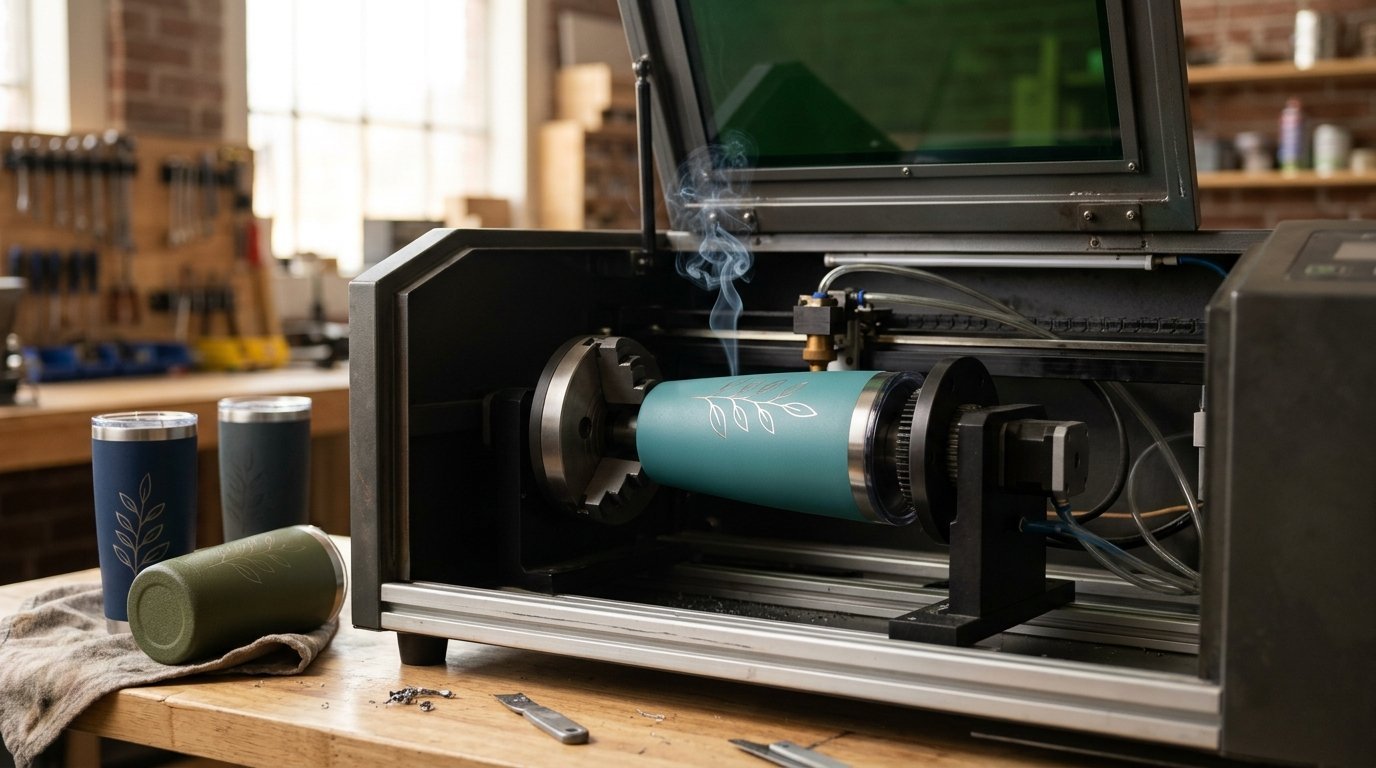
To wrap a design around a cup, the cup has to turn under the laser. There are two main kinds of rotary:
- Chuck rotary. Jaws grip the cup. LightBurn recommends it because it grips firmly and greatly reduces the risk of slipping. The catch, reported by owners: the jaws have a maximum diameter, and the chuck sits at a fixed height, which can be a problem for big cups and handles.
- Roller rotary. The cup rests on rubber rollers. It works for straight cups, but LightBurn warns you need to stop the tumbler slipping, and you must enter the roller diameter accurately.
40 oz handled tumblers are the awkward case: the handle limits rotation and needs clearance. Check the rotary's maximum diameter and the machine's height before you buy. Our picks support rotaries from 120 mm (xTool F2) to 200 mm (LaserPecker LP5) in diameter, and the WeCreat Vista's flip-out head is built specifically for 40 oz tumblers without risers.
Tapered tumblers are harder than straight ones. LightBurn says you may see distortion at the taper and offers a Taper Warp tool to correct it. Start with straight-sided cups while you learn.
The picks in brief
WeCreat Vista. The easiest way to start. It's a fully enclosed Class 1 laser with a camera, autofocus and flame detection, and its FlipLaser head engraves 40 oz tumblers inside the enclosure without risers. The 10W diode handles powder-coated cups and light wood work, and it supports LightBurn. For bare steel you need the optional infrared module.
xTool F1 Ultra. The step up for selling. A 20W fiber laser marks coated and bare stainless, brass and aluminum, and the 20W diode handles wood and leather. It's a galvo machine, so names and logos engrave in seconds, and the RA3 rotary takes cups up to 145 mm across. The work area is small for flat items, and despite its cover it's certified Class 4.
xTool S1. If you also want to cut wood signs and coasters, the S1 is a big-bed Class 1 enclosed diode laser with flame detection and support for xTool's 4-in-1 rotary. A 2W infrared module is available as an add-on for bare metal. It has no built-in camera for placing designs, and it engraves tumblers more slowly than a galvo laser.
xTool F2. The cheapest machine here that marks bare steel, with a 15W diode and a 5W infrared laser at galvo speed for $1,299, plus a rotary for cups up to 120 mm. It's an open Class 4 laser, so you need the safety glasses or shield, and xTool says it doesn't support LightBurn.
LaserPecker LP5. A portable fiber and diode engraver that takes cups up to 200 mm across, which makes it a favorite for engraving at markets. Budget for the safety enclosure (in the Safety Bundle) for indoor use, since the camera and enclosure depend on the bundle you buy.
xTool F2 Ultra. For production work: a 60W MOPA fiber laser that marks stainless quickly, deeply and in color, plus a 40W diode. At $5,299 it's a business tool, and it's certified Class 4.
Tips for your first tumblers
- Start with straight, powder-coated tumblers. They're cheap, forgiving and the most popular with buyers.
- Measure the real diameter and engravable height of each cup before designing.
- Test on a scrap cup or under painter's tape. LightBurn suggests a light test etch on tape first.
- Use full-wrap designs that hide the seam, or keep designs to one side away from the handle.
- Clean up afterwards to remove coating residue from the engraved area.
- Ventilate. Burning off powder coat makes smoke; see our laser engraver safety guide.
Specs side by side
| Spec | WeCreat WeCreat Vista | xTool xTool F1 Ultra | xTool xTool S1 40W | xTool xTool F2 | LaserPecker LaserPecker LP5 | xTool xTool F2 Ultra |
|---|---|---|---|---|---|---|
| Research score | 7.6/10 research score | 7.9/10 research score | 8.1/10 research score | 7.4/10 research score | 7.5/10 research score | 8.0/10 research score |
| List price | $590 | $2,999 | $1,699 | $1,299 | $2,699 | $5,299 |
| Laser | ||||||
| Laser power | 10 W | 20 W | 40 W | 15 W | 20 W | 60 W (best) |
| Laser source | 10W blue diode (2W infrared module available) | 20W fiber + 20W blue diode | 40W blue diode (2W 1064 nm infrared module available as an add-on kit) | 15W blue diode + 5W 1064 nm infrared | 20W 1064 nm fiber + 20W 450 nm blue diode | 60W MOPA fiber + 40W blue diode |
| Spot size | 0.06 × 0.04 mm | 0.03 × 0.03 mm (fiber), 0.08 × 0.1 mm (diode) | 0.08 × 0.10 mm (40W) | 0.08 × 0.06 mm (diode), 0.03 × 0.03 mm (infrared) | Not published | 0.03 × 0.03 mm (MOPA), 0.08 × 0.1 mm (diode) |
| Work area and speed | ||||||
| Work area width | 414 mm | 220 mm | 498 mm (best) | 115 mm | 160 mm | 220 mm |
| Work area length | 290 mm | 220 mm | 319 mm (best) | 115 mm | 120 mm | 220 mm |
| Maximum speed | Not published | 10,000 mm/s | 600 mm/s | 6,000 mm/s | 10,000 mm/s | 15,000 mm/s (best) |
| Maximum material height | 40 mm | 145 mm | 42 mm | 120 mm | 137 mm | 150 mm (best) |
| Thickest wood cut | 6 mm | 15 mm | Not published | 15 mm | 20 mm | 23 mm (best) |
| Safety | ||||||
| Fully enclosed | Yes | Yes | Yes | No | No | Yes |
| Laser safety class | Class 1 | Class 4 | Class 1 | Class 4 | Class 1 with the LP5 Safety Enclosure | Class 4 |
| Flame detection | Yes | Yes | Yes | Not published | Not published | Yes |
| Emergency stop | Not published | Not published | Yes | Not published | Not published | Not published |
| Features | ||||||
| Camera | Yes | Yes | Not published | Yes | Yes | Yes |
| Autofocus | Yes | Yes | Yes | Yes | Not published | Yes |
| Air assist | Yes | Not published | No | Not published | Not published | Not published |
| Rotary support | Yes | Yes | Yes | Yes | Yes | Yes |
| Pass-through | Yes | Not published | Yes | Not published | Not published | Not published |
| Software and connectivity | ||||||
| Software | WeCreat MakeIt, LightBurn | xTool Studio | xTool Creative Space (xTool Studio), LightBurn | xTool Studio | LaserPecker Design Space, LightBurn | xTool Studio, LightBurn |
| LightBurn support | Yes | Not published | Yes | No | Yes | Yes |
| Connectivity | Not published | USB, Wi-Fi, IP, hotspot | USB, Wi-Fi | Wi-Fi, USB, IP | Not published | USB, Wi-Fi, IP |
| Size and warranty | ||||||
| Weight | 32 lb | 32.4 lb | 44.1 lb | 10.1 lb (best) | 13.3 lb | 47 lb |
| Dimensions | 643 × 471 × 166 mm | 273 × 373 × 492 mm | 765 × 561 × 183 mm (268 mm tall with the riser base) | 175 × 237 × 334 mm | Not published | 294 × 429 × 521 mm |
| Warranty | 1 year | 1 year | 1 year | 1 year | 1 year | 1 year |
| Where to buy | Check price at WeCreat (opens in a new tab) | Check price at xTool (opens in a new tab) | Check price at xTool (opens in a new tab) | Check price at xTool (opens in a new tab) | Check price at LaserPecker (opens in a new tab) | Check price at xTool (opens in a new tab) |
More options: our best laser engravers for small business and best laser engravers for metal.
The picks in detail
1. WeCreat Vista
List price $590 (as of Oct 2026)
Class 1 with flame detection, and a flip-out head that engraves 40 oz tumblers inside the enclosure without risers, for $590.
Pros
- Class 1 with flame detection from $590
- Tumblers without risers
- Camera, autofocus, air assist and LightBurn
Cons
- 10W: about 6 mm wood at most
- Diode laser: no clear acrylic
- Infrared module costs extra
2. xTool F1 Ultra
List price $2,999 (as of Oct 2026)
20W fiber plus 20W diode: marks coated and bare stainless at galvo speed, with a rotary up to 145 mm.
Pros
- True fiber laser for bare metal plus a diode for wood
- 10,000 mm/s galvo speed
- Enclosed cover with fire safety stop
Cons
- Small 220 × 220 mm work area
- Certified Class 4, not Class 1
- F2 Ultra is far faster for metal production
3. xTool S1 40W
List price $1,699 (as of Oct 2026)
Class 1, a 4-in-1 rotary and a 40W diode that also cuts wood; an infrared add-on marks bare steel.
Pros
- Class 1 enclosure with flame detection and emergency stop
- Large 498 × 319 mm bed with passthrough
- Works with LightBurn as well as xTool software
Cons
- No built-in camera for placing designs
- Air assist is an extra
- Diode laser: cannot cut clear acrylic
4. xTool F2
List price $1,299 (as of Oct 2026)
Diode plus infrared and galvo speed for $1,299, with a rotary up to 120 mm; an open Class 4 laser.
Pros
- Engraves wood and bare metal with two lasers
- 6,000 mm/s galvo speed and a 50 MP camera
- Portable at 10.1 lb
Cons
- Small 115 × 115 mm work area
- Class 4: safety glasses or shield needed
- No LightBurn support
5. LaserPecker LP5
List price $2,699 (as of Oct 2026)
Portable fiber and diode engraver with a rotary up to 200 mm; add the enclosure for indoor use.
Pros
- Fiber + diode in a portable unit
- 10,000 mm/s
- Cheaper than the xTool F1 Ultra
Cons
- Enclosure and camera depend on the bundle
- Small work area
- Owners note extras are needed
6. xTool F2 Ultra
List price $5,299 (as of Oct 2026)
60W MOPA fiber for fast deep marks and color on stainless, for production work.
Pros
- 60W MOPA colour marking on stainless steel
- 15,000 mm/s with dual 48 MP cameras
- Works with LightBurn 2.2+
Cons
- $5,299 for the dual-laser version
- Small 220 × 220 mm work area
- Certified Class 4
Frequently asked questions
What kind of laser do I need to engrave a tumbler?
Can a diode laser engrave stainless steel tumblers?
Do I need a rotary to engrave tumblers?
How do I engrave a tumbler with a handle?
Can I engrave tapered tumblers?
Sources
Specs, prices and claims in this article come from these sources.
- Full-wrap tumblers guide · LightBurn · accessed Oct 25, 2026
- WeCreat Vista laser engraver · WeCreat · accessed Oct 18, 2026
- xTool F1 Ultra fiber and diode laser engraver · xTool · accessed Oct 18, 2026
- xTool S1 laser cutter · xTool · accessed Oct 18, 2026
- Best laser engraver for tumblers (buyer guide) · xTool · accessed Oct 25, 2026
- Roller rotary vs chuck rotary (LightBurn forum) · LightBurn forum · accessed Oct 25, 2026
Written by
Research and editing
The LaserEngravers editorial team researches laser engravers from manufacturer documents, published measurements and owner reports.