Review
xTool S1 Review: The Enclosed 40W Diode Laser for Home Workshops
xTool's S1 puts a 40W blue diode laser in a Class 1 enclosure with flame detection, autofocus, a 498 × 319 mm bed and AutoPassthrough. We compare its published specs with what hands-on reviewers found.
This page contains affiliate links; we may earn from purchases made through them. Learn more

xTool
xTool S1 40W
List price $1,699 (as of Oct 2026)
Best for: Enclosed wood cutting and engraving at home, with room to add metal marking later
Our verdict
The safest big-bed diode laser for a home workshop: Class 1, flame detection and a large bed for $1,699 (40W Basic Bundle). Reviewers praise its power and quiet enclosure; the gaps are no camera, a short exhaust hose and, like every diode laser, no clear acrylic. Want clear acrylic or deeper one-pass cuts? Look at the xTool P2S.
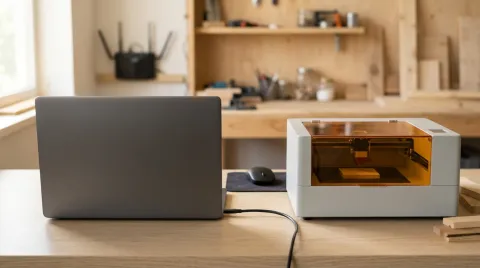
The xTool S1 was the first fully enclosed 40W diode laser, and it is still the reference for a safe, big-bed diode machine at home. It costs $1,699 for the 40W Basic Bundle on xtool.com (the 20W version was sold out when we checked). We compared xTool's specifications with what hands-on reviewers found. We have not tested it ourselves; see how we research.
Key specs
| Spec | xTool S1 40W |
|---|---|
| Laser | 40W blue diode (2W infrared module optional) |
| Work area | 498 × 319 mm (19.6 × 12.5 in) |
| Max speed | 600 mm/s |
| Safety | Class 1, 5-direction flame detection, emergency stop, lid-open stop, key lock |
| Focus | Autofocus (touch probe) |
| Camera | None |
| Passthrough | Yes, with the Automatic Conveyor Feeder |
| Software | xTool Creative Space / xTool Studio, LightBurn |
| Weight | 20 kg (44 lb) |
| Warranty | 12 months |
From xtool.com, October 18, 2026.
Safety: why the S1 suits a house
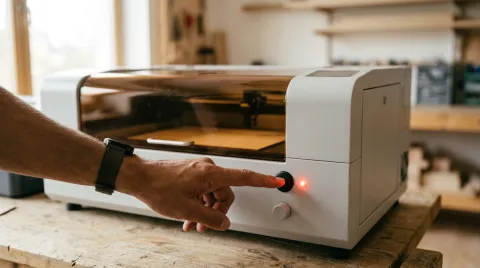
Most powerful diode lasers are open frames certified Class 4, which means everyone in the room needs laser safety glasses. The S1 is certified Class 1: the beam stays inside the closed case, and xTool lists five-direction flame detection, an emergency stop, a lid-open stop and a laser key lock. Maker Hacks' Chris Garrett found the enclosure, air assist and fume extraction make it "safer and quieter". You still need to vent the fumes outside or through a purifier; see laser engraver safety.
Cutting and engraving
xTool doesn't publish a maximum cutting depth on the S1 page, so we rely on reviewers. Maker Hacks cut birch, poplar and opaque acrylic without trouble and found "It cuts black acrylic like butter", but clear and sparkly acrylic and ABS did not work, as expected from a blue diode. The Gadgeteer called it "the world's first 40W enclosed diode laser cutter" and highlighted the quick-change laser modules.
With the optional 2W infrared module, the S1 marks bare metal and plastics; Maker Hacks engraved dog tags with it and found positioning very accurate.
What reviewers didn't like
- No camera. Placement relies on framing and a crosshair.
- Autofocus on small items. Maker Hacks found the touch probe can miss small workpieces and drop into the honeycomb, so place the crosshair carefully.
- A short, narrow exhaust hose. The reviewer noted "the exhaust tube is an unusually small diameter and short length"; a garage install may need a bigger extension.
- Air assist is extra. xTool sells it as an Air Assist Set.
- LightBurn is partial. xTool says LightBurn handles the basics but not every S1 feature.
Who should buy it
Buy the S1 if you want to cut and engrave wood, leather and opaque acrylic indoors, near family or pets, on a large bed. Skip it if you need clear acrylic or 18 mm one-pass cuts (choose the xTool P2S), or if a camera matters (the Creality Falcon A1 Pro and WeCreat Vision have one). For a head-to-head with the most common rival, see Glowforge Aura vs xTool S1.
If an error code appears, our xTool error codes guide lists the S1's M222, M363 and M53 codes.
How the xTool S1 40W scores
8.1/10 Excellent research score- Engraving quality
- 8.0
- Cutting power
- 7.5
- A 40W diode is among the strongest diode lasers sold; xTool does not publish a maximum cutting depth on the product page.
- Versatility
- 7.5
- Safety
- 9.5
- Class 1 with flame detection, emergency stop, lid-open stop and a key lock, per xTool.
- Ease of use
- 8.0
- Reliability
- 7.5
- Value
- 8.0
Scores come from published specs, owner reports and expert reviews, weighted by what matters most for engraving and cutting safely. How we score
Pros
- Class 1 enclosure with flame detection and emergency stop
- Large 498 × 319 mm bed with passthrough
- Works with LightBurn as well as xTool software
Cons
- No built-in camera for placing designs
- Air assist is an extra
- Diode laser: cannot cut clear acrylic
| Spec | xTool xTool S1 40W |
|---|---|
| Research score | 8.1/10 research score |
| List price | $1,699 |
| Laser | |
| Laser power | 40 W |
| Laser source | 40W blue diode (2W 1064 nm infrared module available as an add-on kit) |
| Spot size | 0.08 × 0.10 mm (40W) |
| Work area and speed | |
| Work area width | 498 mm |
| Work area length | 319 mm |
| Maximum speed | 600 mm/s |
| Maximum material height | 42 mm |
| Safety | |
| Fully enclosed | Yes |
| Laser safety class | Class 1 |
| Flame detection | Yes |
| Emergency stop | Yes |
| Features | |
| Autofocus | Yes |
| Air assist | No |
| Rotary support | Yes |
| Pass-through | Yes |
| Software and connectivity | |
| Software | xTool Creative Space (xTool Studio), LightBurn |
| LightBurn support | Yes |
| Connectivity | USB, Wi-Fi |
| Size and warranty | |
| Weight | 44.1 lb |
| Dimensions | 765 × 561 × 183 mm (268 mm tall with the riser base) |
| Warranty | 1 year |
| Where to buy | Check price at xTool (opens in a new tab) |
Frequently asked questions
Does the xTool S1 have a camera?
Can the xTool S1 cut acrylic?
Does the xTool S1 work with LightBurn?
Can the S1 engrave metal?
Sources
Specs, prices and claims in this article come from these sources.
- xTool S1 Enclosed Diode Laser Cutter: product page and specifications · xTool · accessed Oct 18, 2026
- A complete error code collection for xTool S1 · xTool Support · accessed Oct 18, 2026
- Troubleshoot Air Assist Set fails to connect to S1 · xTool Support · accessed Oct 18, 2026
- xTool S1 review · Maker Hacks (Chris Garrett) · accessed Oct 18, 2026
- xTool S1 laser engraver and cutter review: world's first 40W enclosed diode laser cutter · The Gadgeteer · accessed Oct 18, 2026
Written by
Research and editing
The LaserEngravers editorial team researches laser engravers from manufacturer documents, published measurements and owner reports.