Guide
How to Laser Cut and Engrave Acrylic: Diode vs CO2, Clear vs Colored
Which lasers can cut acrylic, why a blue diode can't cut clear sheets, cast vs extruded acrylic, how thick each machine goes, and the setup that gives clean edges and white engravings.
In short
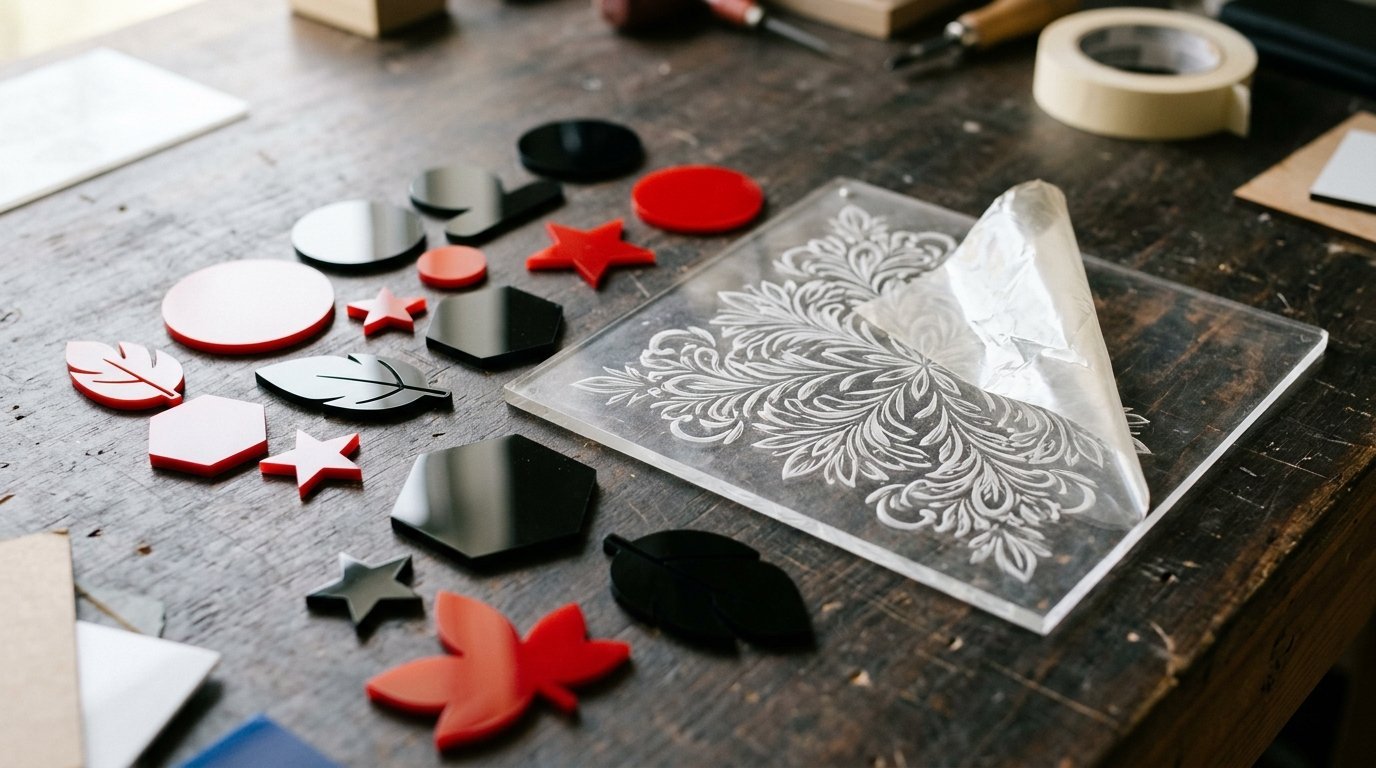
For clear acrylic, or any serious acrylic work, use a CO2 laser: acrylic absorbs its wavelength, so it cuts clean, flame-polished edges and engraves frosty white. A blue diode laser can cut thin, dark, opaque acrylic, but clear and many light colors let its beam pass straight through. Buy cast acrylic for engraving and extruded for cutting.
Acrylic is one of the most popular laser materials, used for signs, earrings, keychains, cake toppers and awards, and one of the most confusing. The same sheet that cuts like butter on one laser won't even mark on another. The difference comes down to the laser's wavelength and the type and color of the acrylic. Here's what works, based on the makers' own guidance; see our materials guide for every other material.
Which lasers can cut acrylic
| Laser type | Clear acrylic | Dark, opaque acrylic | Light colors and white |
|---|---|---|---|
| CO2 (10,600 nm) | Cuts and engraves cleanly | Cuts and engraves | Cuts and engraves |
| Blue diode (about 445–455 nm) | No: the beam passes through | Cuts thin sheets, engraves | Often fails; test first |
| Fiber or infrared (1,064 nm) | No | Can mark the surface of some sheets | No |
Why the difference? A laser only cuts what absorbs its light. Acrylic absorbs CO2 laser light well regardless of color. Blue diode light, on the other hand, passes straight through clear acrylic, and light-colored sheets reflect or transmit much of it, which is why Glowforge says its 6W diode Aura isn't compatible with clear acrylic. More power doesn't fix it, because the material never takes in the energy.
Cutting acrylic with a CO2 laser
This is the easy route, and the reason anyone who sells acrylic products ends up with a CO2 machine.
- Thickness. Desktop CO2 lasers cut thick acrylic in one pass: xTool lists 20 mm for its 55W P2S and 25 mm for its 80W P3. Trotec's rule of thumb is about 10 watts of laser power per millimetre of thickness for ideal results.
- Edges. Extruded acrylic comes out with a flame-polished edge, slightly different between top and bottom, and Trotec notes it needs less power than cast acrylic of the same thickness. Cast acrylic cuts burr-free on both sides.
- Air assist. Use it, but gently for cutting. Trotec suggests limiting air pressure to about 0.2 bar where possible, because too much air cools the cut too fast and leaves milky, dull edges.
Cutting acrylic with a diode laser
A blue diode can cut acrylic if the sheet is dark and opaque and thin. Black is the most reliable. Makers' figures for black acrylic in one pass include 8 mm on the Creality Falcon A1 Pro, 11 mm on the WeCreat Vision and 5 mm on the LaserPecker LP4. Expect slow speeds and several passes on anything thicker.
Creality Falcon's starting point for thin (1–3 mm) opaque acrylic on a diode: 90–100% power, 80–200 mm/min, 3 to 10 passes, air assist on and perfect focus. Its key tip: if the acrylic melts too much, don't add power; try a slightly faster speed with more passes, because cutting too slowly overheats the edge.
What about clear acrylic on a diode?
xTool says flatly that you can't cut clear acrylic with a diode laser. Creality Falcon describes a workaround: coat the surface with matte black spray paint or dark tape so the beam has something to absorb, then cut from the coated side at full power, very slowly (around 50–150 mm/min), with many passes and air assist. Even then it says 1 mm is the realistic starting point, 2 mm gets slow and messy, and the edge won't be clean. Burning paint also adds smoke and fumes. If clear acrylic is what you want to sell, buy a CO2 laser or have the parts cut by someone who has one.
Engraving acrylic
Engraving is more forgiving than cutting, and the type of acrylic matters most:
- Cast acrylic engraves a bright, high-contrast frosty white, which is what you want for signs and awards. Trotec recommends it whenever engraving contrast matters.
- Extruded acrylic engraves a dull matte gray, so it's better kept for cutting.
A popular trick is to engrave clear cast acrylic on the back, in mirror image, so the design shows through the front, for example in edge-lit signs. Diode lasers can engrave the surface of many colored and coated sheets; for clear acrylic, a CO2 or UV laser does the job.
Cast vs extruded at a glance
| Property | Cast acrylic | Extruded acrylic |
|---|---|---|
| Engraving | Bright frosty white | Dull matte gray |
| Cut edge | Burr-free on both sides | Flame-polished, varies top to bottom |
| Power needed | More | Less, so faster |
| Thickness tolerance | About ±15% | About ±5% |
| Best for | Engraved signs, awards, decorations | Cut parts that must fit together |
Figures from Trotec's acrylic material guide.
Setup tips for clean results
- Leave the protective film on for cutting larger shapes, as xTool suggests, then peel it off afterwards. It protects the surface from smoke marks.
- Clamp the sheet flat. Acrylic sheets often bow slightly, and a sheet that lifts throws the focus off.
- Focus precisely on the surface. Creality notes that even a small focus error can stop a diode cut completely.
- Run a test grid on a scrap of the same sheet first. Brands and even batches behave differently.
- Use vector cut lines (a single line, not a filled shape) for cutting.
Safety
Acrylic (PMMA) is a standard laser material, but it does burn. Trotec stresses that a laser should never be left unattended, and that poor airflow lets vapor build up and increases fire risk; good extraction matters for both quality and safety. Make sure the sheet really is acrylic: polycarbonate (Lexan) burns and soots, and PVC releases chlorine gas, so never laser them. More in our laser engraver safety guide.
Which machine for acrylic work?
If acrylic is your main material, a desktop CO2 laser such as the xTool P2S is the practical choice. If you mainly work with wood and want to cut the occasional black acrylic part, an enclosed diode works. Compare the options in diode vs CO2 vs fiber and our best laser engravers.
Frequently asked questions
Can a diode laser cut clear acrylic?
What is the best laser for cutting acrylic?
Should I buy cast or extruded acrylic?
Is it safe to laser acrylic?
Sources
Specs, prices and claims in this article come from these sources.
- Can you cut clear acrylic with a diode laser? · xTool · accessed Oct 25, 2026
- How to cut clear acrylic with a diode laser · Creality Falcon · accessed Oct 25, 2026
- Material handling: acrylic · Trotec · accessed Oct 25, 2026
- Glowforge Aura product page (material compatibility) · Glowforge · accessed Oct 18, 2026
- xTool P2S 55W CO2 laser cutter · xTool · accessed Oct 18, 2026
Written by
Research and editing
The LaserEngravers editorial team researches laser engravers from manufacturer documents, published measurements and owner reports.